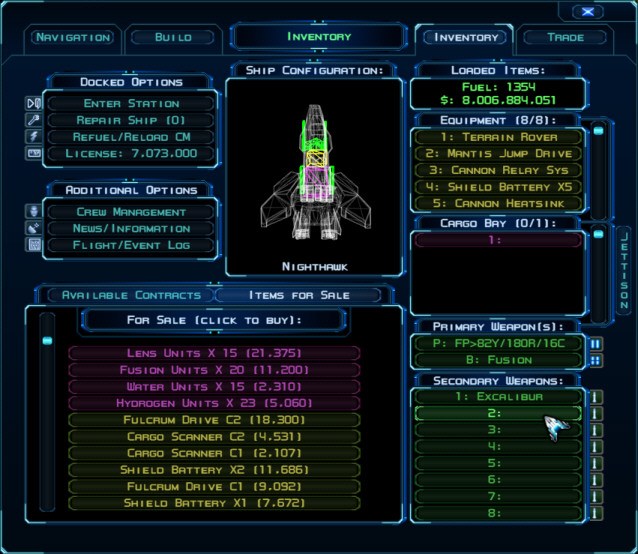
Here are some alternate buttons and scroll bars providing a rounded look with highlight brackets for mouseover. To install, simply place the folders in the zip below within the game's install folder (Program Files (x86)\Steam\SteamApps\common\Evochron Legacy for Steam or \sw3dg\EvochronLegacy for the direct download version).
These custom images will also provide you with a template from which to modify the buttons for your own designs using a complete image set.
The list of menu buttons (as indicated in the Customizing Kit's ReadMe ... http://www.starwraith.com/evochronlegac ... readme.htm) is long ... which of the buttons are used for the main menu tabs (at the top of each menu page)?
You mean the consoles? Those use the main blue button images (b2bar1 set and the b2bar8 set for bright) while the background uses the various b2console images for each console mode.
I mean the tabs which are labeled Navigation, Build, Inventory, etc. If we're on the same page, then the non-selected tabs are b2bar1 (normal) and b2bar8 (cursor over) while the selected tab uses b2console ... is that correct?