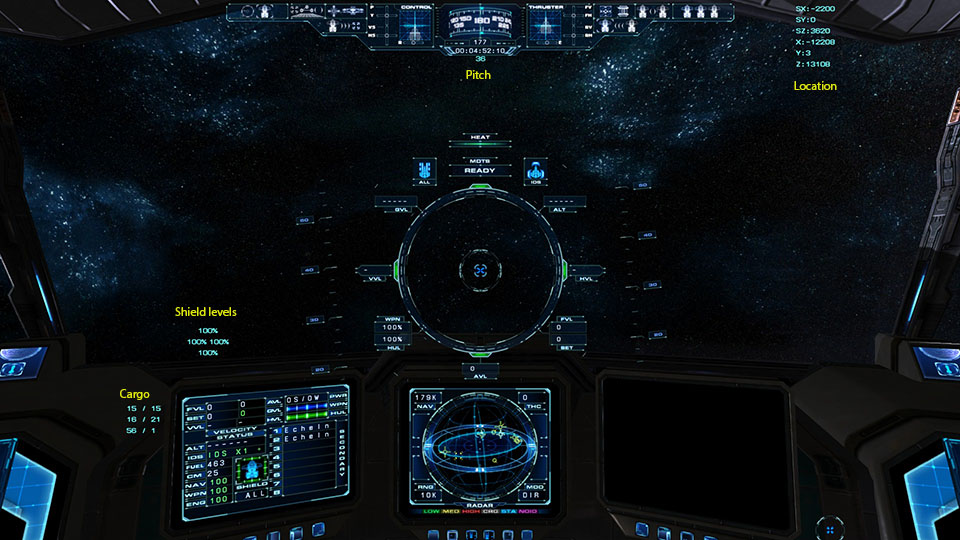
I've made an update, as I realized the shield text clashed with racing text. I've moved the shield text to a corner of the gunsight near the hull damage, and given both the shield text and the pitch indicator HUD surrounds and slightly opaque backgrounds to make them fit into the HUD better and reduce white-out.
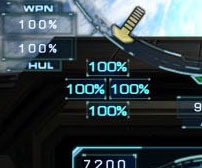
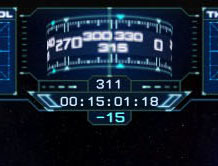
Unfortunately the shield text surrounds do not disappear when in HUD Mode 1, even though the text does disappear. This is because the surrounds are done via the compass texture, rather than the gunsight textures. I couldn't use the gunsight textures because they were drawn on top of the text (for the purposes of VR and 3D video rendering, these extra text elements are drawn farther back than the gunsight).
Therefore, for those using 3D glasses or other 3D apparatus, the digital shield readout will appear not directly attached to the gunsight like it does for those of us using a regular monitor; it will appear to be drawn farther away. There is no solution for this; it's just how the game renders these extra HUD text elements.
Another possibility I might make is to put the shield numbers on the four corners inside the HUD circle, so they're close to the colored shield warning lights around the circle. Would anyone like such a setup? (But note again, for VR/3D users the shield text and HUD surrounds would appear "deeper" than the rest of the gunsight elements. Maybe it wouldn't seem so bad...?)
The position and cargo indicators still do not have surrounds or opaque backgrounds. As their positions are outside the edges of the HUD textures, I can't really see how to do that without moving the text closer to the center of the screen, which is not desirable to me.




 I'm not surprised. Vice is always adding new stuff to the game. I think he does it just to keep Dave busy.


 Do I see a little box around the digital pitch readout (hard to tell)?